Searchable practical knowledge
Use the built-in survival, medical, engineering and security guidance, then add compatible ZIM archives.
A.R.K.A. is a private readiness node for searchable offline references, regional maps, local AI assistance and live system status. It runs on hardware you control and stays useful when the outside network does not.
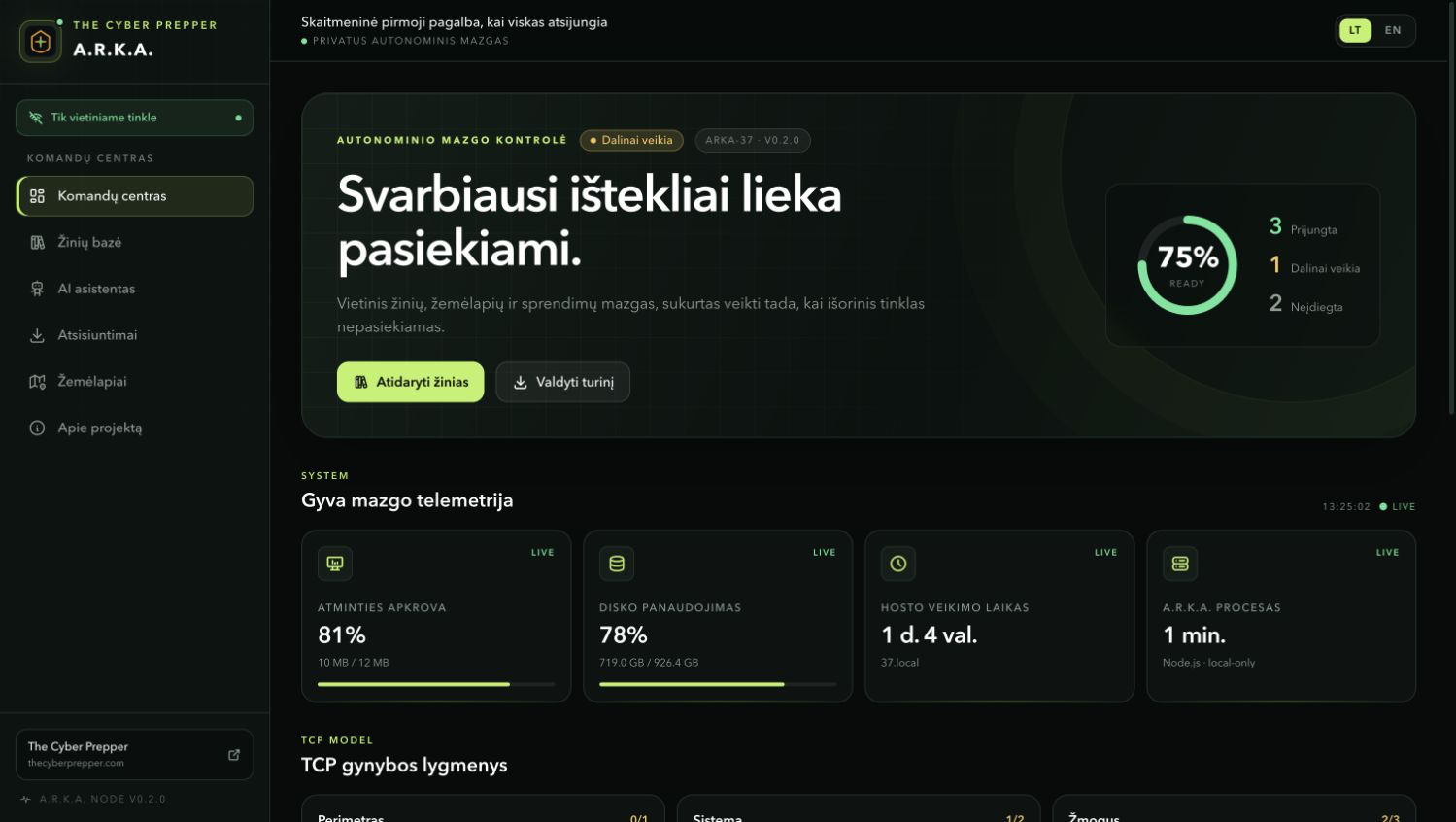
The core node remains useful without a cloud account, public map provider or permanent WAN connection.
Use the built-in survival, medical, engineering and security guidance, then add compatible ZIM archives.
Connect a local OpenAI-compatible model or receive direct answers from the bundled offline knowledge base.
Download a region and navigate through the browser without contacting a public tile service.
See real host and process telemetry plus an honest view of installed and unavailable modules.
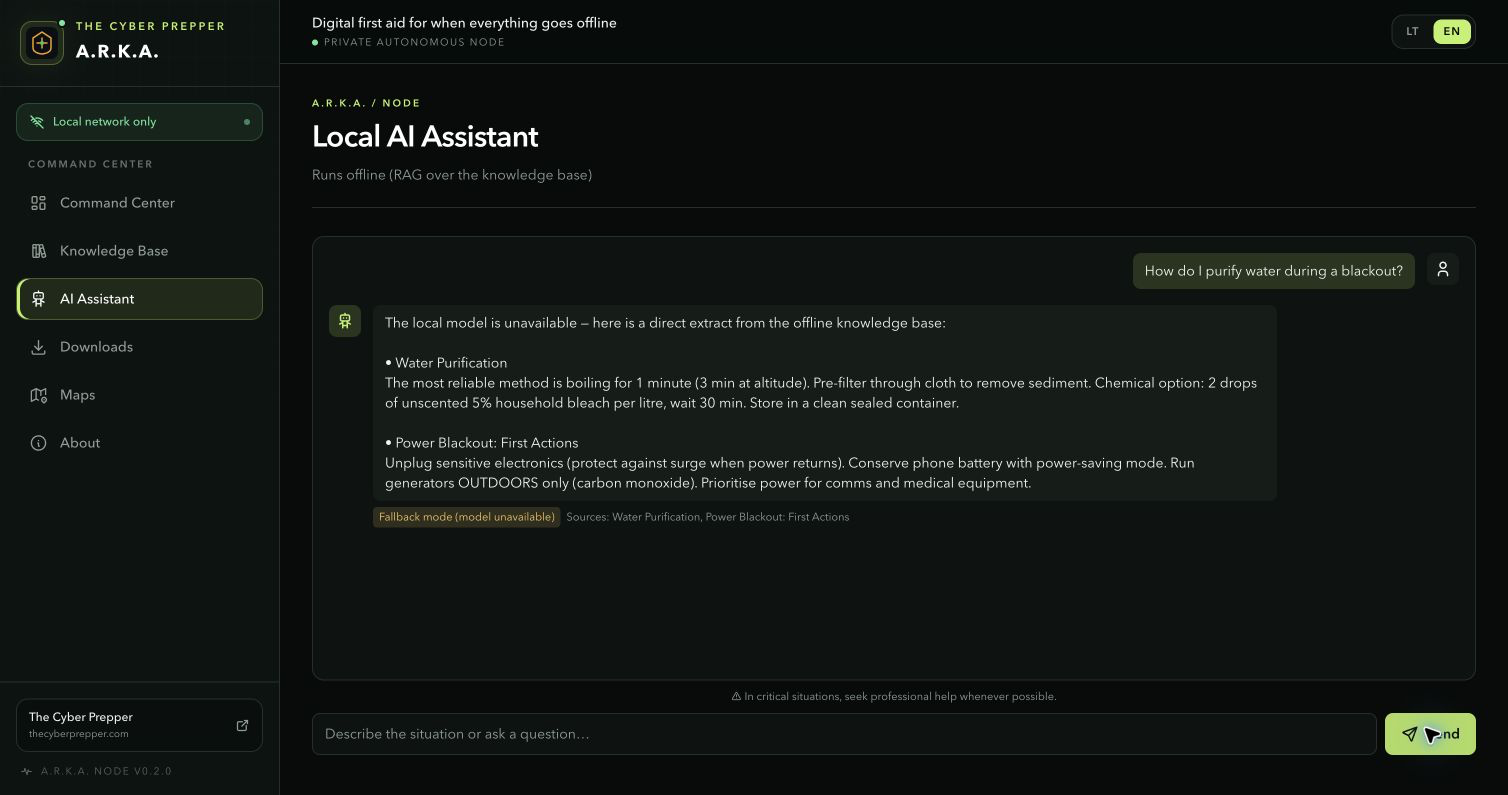
When no local model is running, the assistant returns a language-correct answer from offline references.
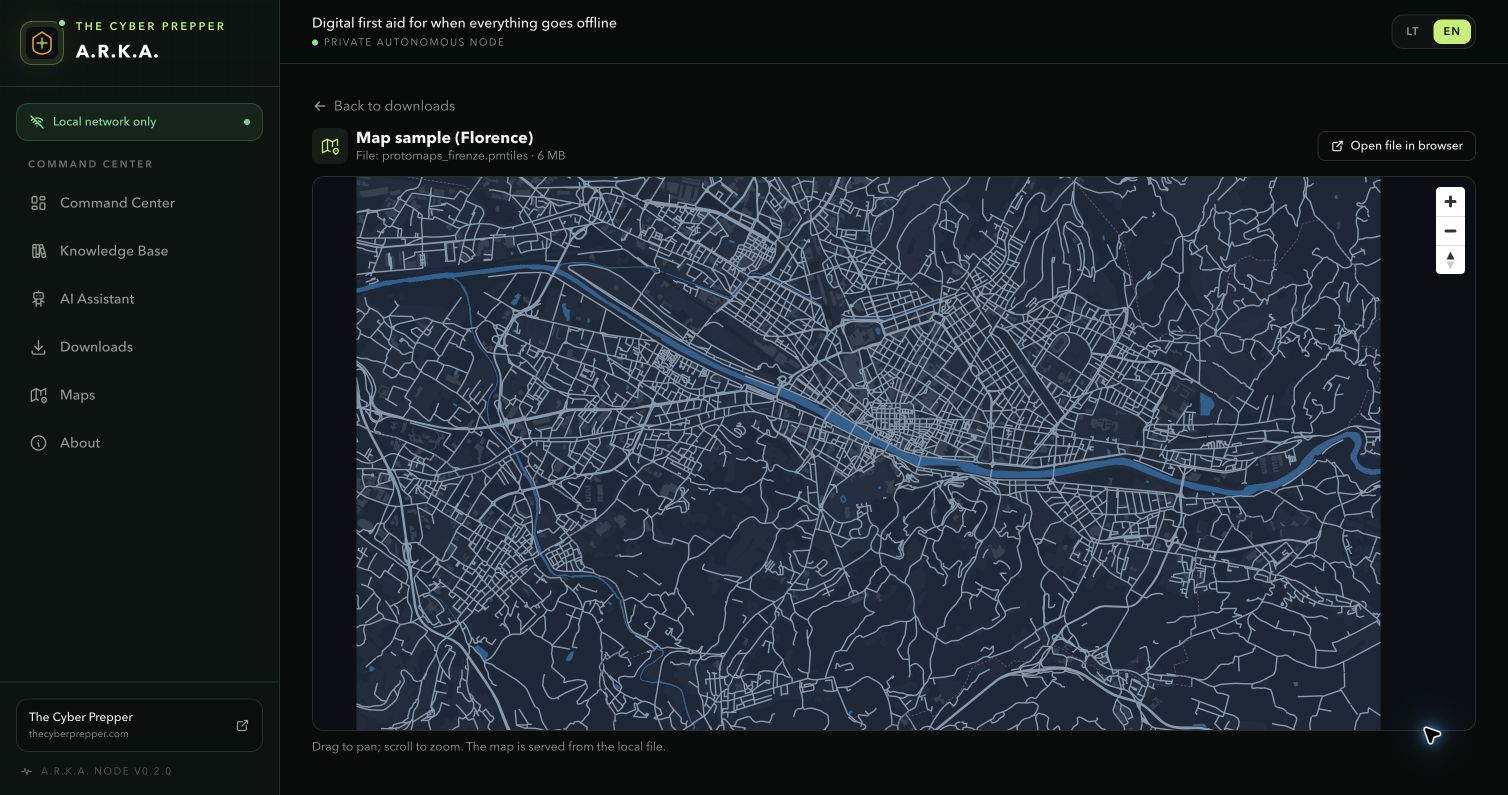
The Florence test region was rendered from a PMTiles file served by the A.R.K.A. node itself.
The download contains source code, lockfile, Docker configuration, tests, screenshots and full instructions. Runtime content stays in local storage.
Use Node.js 22.22+ or Docker 24+ with at least 2 GB RAM and room for the content you choose.
Run the locked native build or the included multi-stage Docker setup.
Visit 127.0.0.1:8080. Explicitly opt in before allowing a trusted LAN client.
Start with one reference archive and one regional map, then check storage.
Protect the storage directory or Docker volume and verify recovery.